
First time, darling? Follow me.Twelve small steps, each with a picture.
How to buy $WCM.
A wallet, some CRO, the Till.
Five steps to get ready, seven at the Till. The Till part takes about five minutes.
Already have a wallet with CRO? Open the Till.
The short version
- Get a wallet app: Ult, Rabby or MetaMask.
- Put some CRO in it, over the Cronos network.
- Open the Till and connect.
- Type your CRO, let me read it back, confirm in your wallet.
First time? The twelve steps below take you through every tap.
First, get ready.
“First a purse, darling. Then the money.”

-
Step 1: Get a wallet app
A wallet app holds your coins and signs your orders. Pick Ult (it holds the Crypto.com Onchain Wallet), Rabby or MetaMask. In the app stores it is listed as Ult. Install it from its own site or your app store, never from a link.
-
Step 2: Create your wallet
Choose “create a new wallet”. If it gives you a recovery phrase, write it on paper. Never share it or type it into a website. The Wife never asks for it.
-
Step 3: Be on Cronos
The Till only works on Cronos. If your wallet is on another network, the Till shows a Switch to Cronos button: tap it and approve it in your wallet. Switching is free.
-
Step 4: Get some CRO
CRO is the coin of Cronos: it pays for your $WCM and the small network fee. Buy it on an exchange you trust. Orders start at 5 CRO; keep a little back for the fee.
-
Step 5: Send it to your wallet
Send it over the Cronos network to your own wallet address, the one that starts with 0x. Try a small amount first. In the Ult app, send it to your Crypto.com Onchain Wallet address, not to the Ult account side.
Now, the Till.
“Serves one wallet. Takes about five minutes.”

-
Step 6: Open the Till and connect
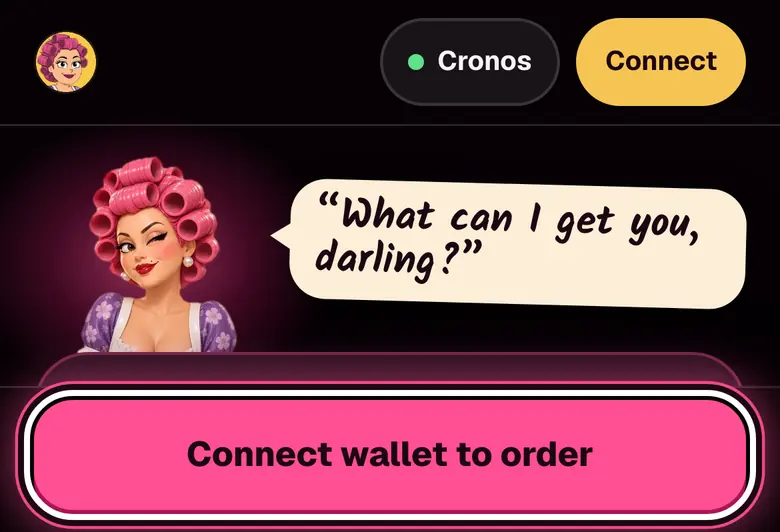
In the Ult app: switch to the Crypto.com Onchain Wallet (Settings, then Onchain Wallet). Open Browser, type wcmkitchen.com/till, then tap Connect.
In Rabby or MetaMask: open wcmkitchen.com/till in the app’s browser and tap Connect wallet to order.
-
Step 7: Type how much CRO to spend
Tap the number under You pay and type your amount.
Example order 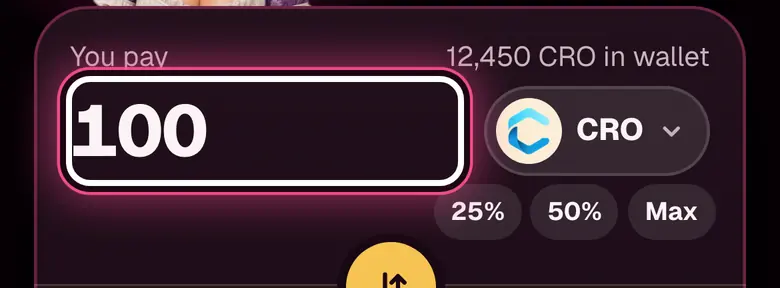
-
Step 8: Check what you get
The gold number is about what lands in your wallet. At least is the least it can be: if the price slips past it, the order cancels itself.
Example order 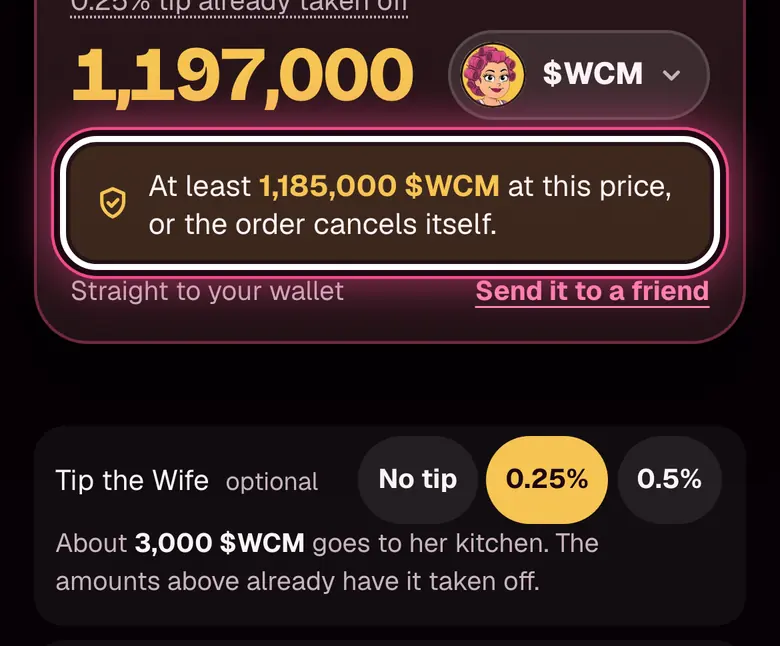
The tip is optional. 0.25% is pre-selected. Tap No tip to remove it.
-
Step 9: Tap “Read it back to me”
The Wife writes the whole order down and checks it. Nothing is sent yet.
-
Step 10: Read the paper
Something off? Tap Change something. All good? Tap Looks right. Open my wallet.
Example order 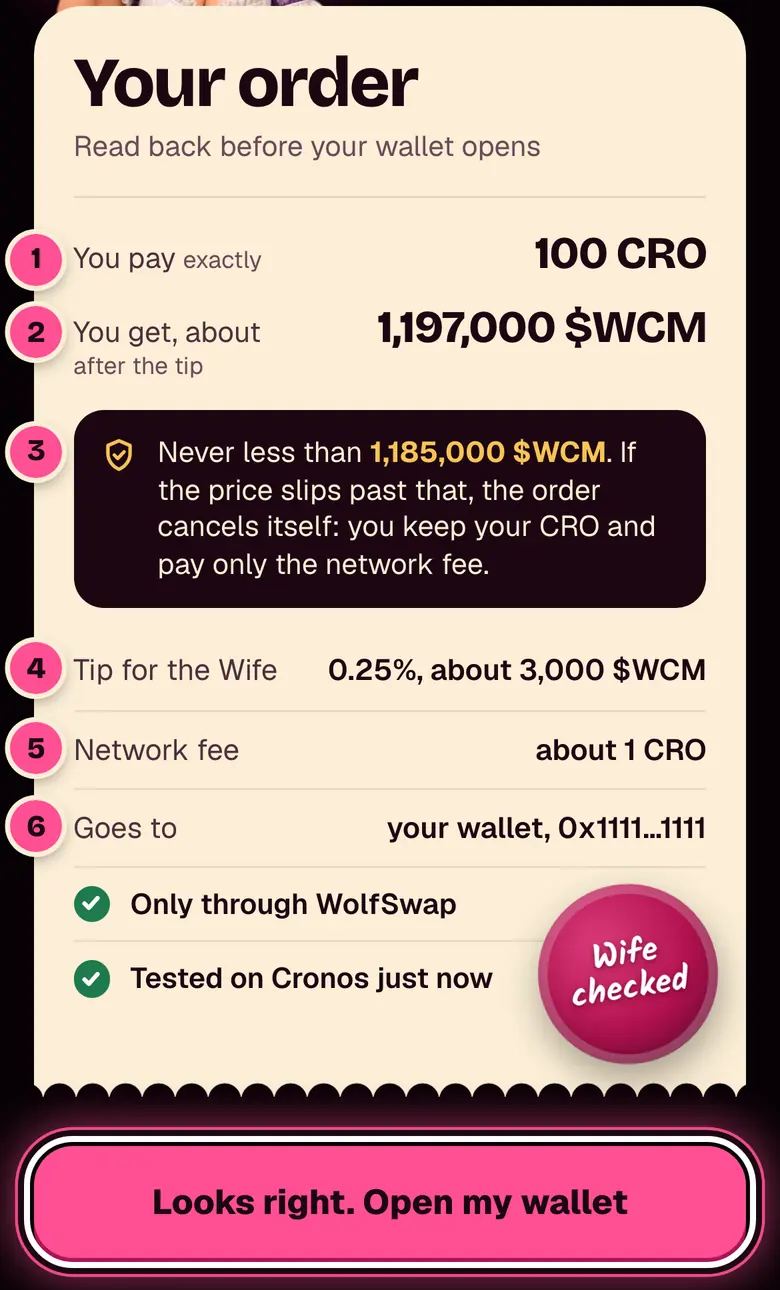
What each numbered line means
- You pay, exactly. The CRO that leaves your wallet. The network fee comes on top.
- You get, about. What should land, tip already taken off.
- Never less than. Her promise. Past it, the order cancels itself and you pay only the network fee.
- Tip for the Wife. Only there if you left one.
- Network fee. What Cronos charges to carry the order, paid in CRO.
- Goes to. Your own wallet.
-
Step 11: Confirm in your wallet
Your wallet opens with the order. Check it there and confirm. Say no, and nothing is swapped.
Example order 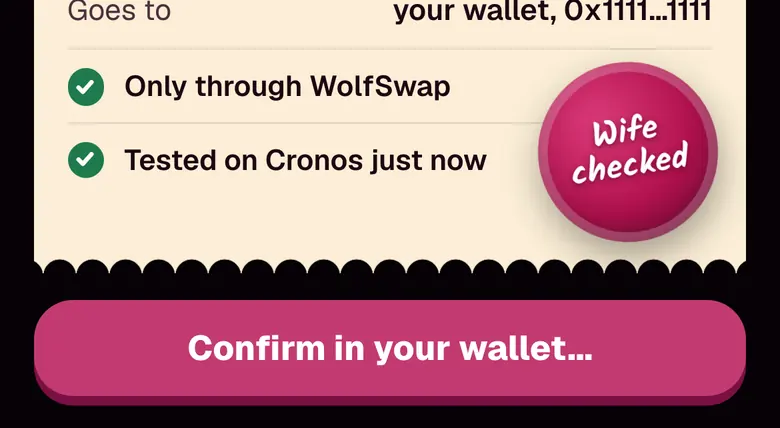
-
Step 12: Order up. Keep the receipt
Your buy prints at the till in the kitchen within a minute.
Example order 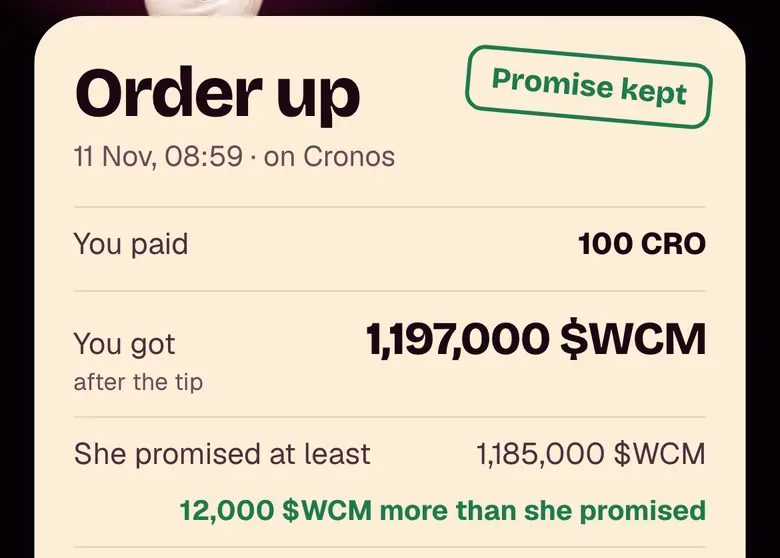
“Promise kept” means you got at least the “never less than” amount. It says nothing about the price tomorrow.
-
“That’s the whole recipe, darling.”
Open the Till

He panics. You don’t have to.
If something goes wrong.
Not enough CRO. “That’s more than your purse holds, darling.” Type a smaller amount, or put more CRO in your wallet.
The price moved. The Till shows the new least amount. Nothing was sent. Tap Use the new price, or Cancel.
You said no in your wallet. Nothing was swapped. Start again whenever you like.
The order cancelled itself. The price slipped past “never less than” after you confirmed. Only the network fee was spent.
Before you sign.
Kitchen safety
Scammers love a busy kitchen.
checked
- Your recovery phrase stays with you. The Wife never asks for it.
- Check the jar every time.
- Never sign what you didn’t start.
- Nobody from the kitchen DMs you first.
- Clear old approvals now and then with WolfSwap Approvals.
0x1b6d879Fac206fE846A348FaAf2c0c5D9710A71b
The real $WCM address is on this page. Anyone who sends you a different one in a message is not us.
Questions.
I use the Ult app. Which side do I need?
The Crypto.com Onchain Wallet. Ult’s own page says: “open Settings in Ult and switch back to Onchain Wallet — same keys, same balances, same history.” Send your CRO to your Crypto.com Onchain Wallet address (it starts with 0x), not to the Ult account side. Then open Browser, type wcmkitchen.com/till and tap Connect.
The Till says there is no wallet in this browser
On a phone: open your wallet app, find the browser inside it and paste the Till’s link there. On a computer: add your wallet’s extension to the browser, then reload the Till.
Not on Cronos yet?
Relay bridges and buys in one step.
What does an order cost, and how big can it be?
The paper shows the cost before your wallet opens: what you pay, what you get, the tip if you leave one, and the network fee. Under “Wiggle room” (how far the price may slip, 1% to start) the Till lists its own kitchen fee: None. Orders run from 5 CRO to 50,000 CRO.
My wallet doesn’t show my $WCM
The receipt has a line for that: “Wallet not showing $WCM? Add it”. Nothing is spent or signed.
Can I get my money back?
No refunds. A swap on Cronos cannot be undone, which is why the Wife reads every order back first. $WCM is a community meme coin and can drop to zero.
A how-to, not financial advice, and not a promise about the price. The pictures of the Till show an example order with made-up numbers.